- You want to store the number of miles you ran for each day this year. Declare an array to store named milesRan that can store them.
- Assume that you ran 3.1 miles the first day of the year. Assign that value to the first element.
- Assume that you have already populated milesRan with the first 100 days of running. Write Java code to calculate and display the average miles run per day (for the first 100 days).
- Write a method that takes just an array of doubles and returns the average value.
Perfect size and Oversized Arrays
A
perfect size array has every element filled and does not need more elements.
An
oversized array has one or more elements that are being used.
- Think of at least 3 examples of when you would use a perfect size array. Share your ideas with someone else.
- Think of at least 3 examples of when you would use an oversized array. Share your ideas with someone else
- Compare and contrast perfect size and oversized arrays with someone else. Can you explain when to use each? What are the advantages of each?
- For each of the following method headers, identify if the method: 1) Takes a perfect size or oversized array and 2) Does it change the array's dimensions, produce a new array, or neither.
-
int removeAll( int[] nums, int origSize, int keyValue )
-
void sort( double[] values )
-
void mergesort( double[] values, int start, int stop )
-
int binarySearch( String[] labels, int arraySize, String searchKey )
-
int findName( String[] names, String searchKey )
-
int[] removeFirst(int[] values, int searchKey )
Arrays are Stored as References
- Storing Primitive and Reference Variables:
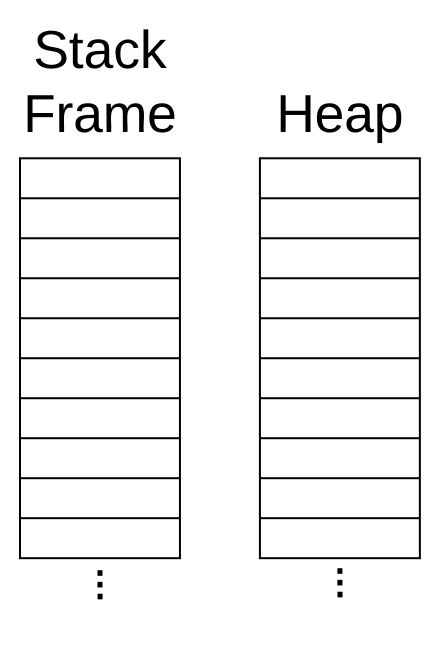
- Compare and contrast with someone else how an int and an array are stored (in terms of the stack frame and the heap).
- Draw how the following variables would be stored in memory:
int count = 0;
double[] scores = new double[ 7 ];
- Write a method that displays all of the elements of an array on one line.
- Write a method that doubles each element in an int array. Display the values before and after the method call.
- Write a method that takes an int array and a starting index and an ending index. Return a copy of the array that just has the the elements from the starting index to the ending index. Display each of the values in the returned array (outside of the method).
- Write a method that adds in "Liam" into the children array. Add a call to your method where the comment indicates. Do not change the code provided. Verify that it displays all four names.
String[] children = new String[ 3 ];
children[0] = "Emma";
children[1] = "Noah";
children[2] = "Olivia";
for( String child : children){
System.out.println( child );
}